
Activate Servos Automatically
The Minion Is A Servo Controller
About The Servo Control Feature
With the Minion you can activate servo motors and similar devices using the wireless remote key fob. How cool is that?
The buttons can be easily assigned to trigger devices and/or events by using the included Minion Software.
With The Minion you can also trigger events on the timeline of a music or sound effects clip timeline. An “event” is a signal sent through the output port which uses a RJ-11 type socket. This output allows you to use a standard and inexpensive Cat5 style connector making it easy and cheap to wire your servos and devices.
Remember the wireless Key Fob is not the only way you can trigger a servo. Yes it can also be activated by an event on the timeline of an audio file, but you can also utilize the Minion Hacker Kit which allows you to hardwire switching activators. These can be standard open/close buttons but can also be things like motion detectors, lighting actuators like CDS Cells, Pressure pads and anything that can act like a switch.
Download the software from VFX here.
We’ve included the wiring diagrams as printable PDF documents on this website so you can download at your convenience.

Sound Effects System

Portable PA System

Lighting Controller

Servo Controller
Minion Hacker Kit

Coming Soon
Remote and Wireless
With The Minion you've got big power from a small box at your finger tips.
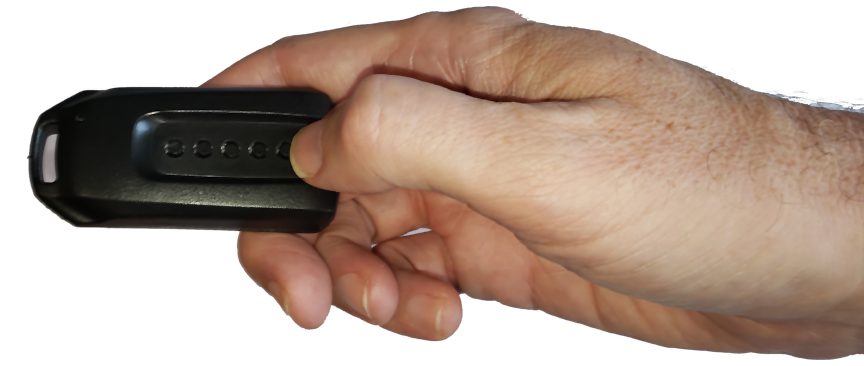
Made a zombie on a stick- which is literally a zombie head on a 6′ pole with the minion inside its head/mouth, then put the remote 3/4 down the pole. Actors can now put a scare sound over, under and all around the guests from a distance. Works beautifully.
– Rob

Stay Notified
Sign Up For Our Free Newsletter
We're sure you'll become a fan of The Minion and all of it's capabilities so be sure to sign up and be notified so you never miss a big sale, special offer, new product release, giveaway, new video or contest announcement!
Stay up to date on new product developments, including specials and plug and play lighting and motion products coming soon!